
My Molina
Molina Healthcare IncMedical
4.6890.00 Reviews
- Version
- 5.10.37
- Installs
- 500.00K
- Age Rating
- Everyone
Screenshots
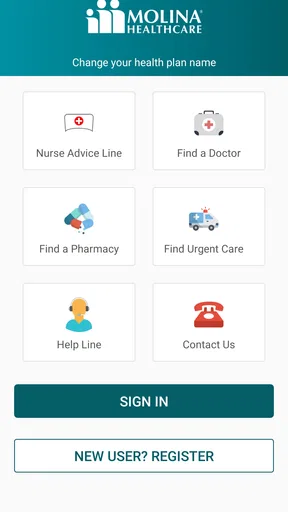
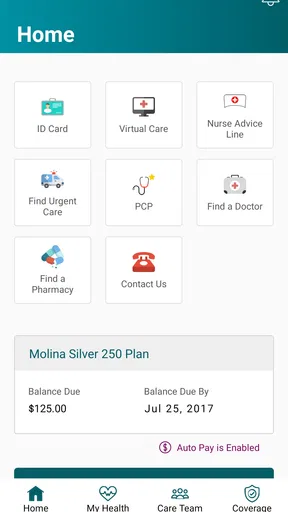
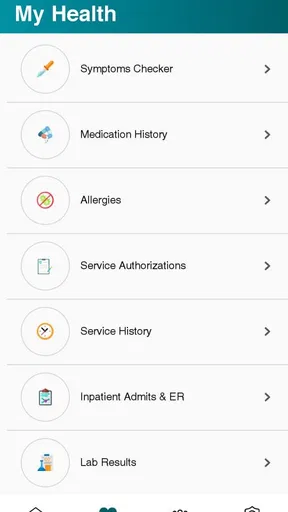
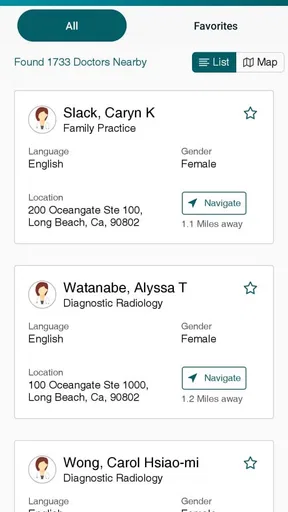
Our Review of My Molina
 Analysis by Appyee
Managing health coverage is rarely difficult because of one big task. It is usually the small tasks that create friction: finding a member card, checking whether a service is covered, locating the right contact route, or remembering where to look when a question appears outside office hours. My Molina is built for those everyday moments, giving Molina Healthcare members a mobile place to handle account-related health tasks instead of relying entirely on paper documents, phone calls, or a browser.
I tested it with a practical question in mind: does it make routine membership management easier, or does it simply move the same work onto a phone? My answer is generally positive, with an important condition. This is most useful when you are already a Molina member and want a convenient companion for your plan. It is not a general medical advice app, a replacement for urgent care, or a universal insurance tool for people covered by another provider.
What I considered before recommending My Molina
The first decision point is eligibility. The app is developed by Molina Healthcare Inc, and its purpose is closely tied to Molina membership. That makes the experience more focused than a broad health organizer, but it also means the value depends on your relationship with the insurer. If you are comparing health plans, tracking symptoms, or storing records from several unrelated providers, a different type of app may suit you better.
I also looked at how much effort the app could remove from common member tasks. A useful insurance app should help me reach important information quickly, keep the member experience understandable, and avoid making me repeat details that are already connected to my account. My Molina earns its place when I need plan-related access while away from a computer. The convenience is less impressive if I only need insurance information once or twice a year and already keep everything organized elsewhere.
Its position in the medical category is worth understanding. The app is about managing the member side of healthcare, not diagnosing illness. That distinction matters because someone expecting medication reminders, exercise tracking, telehealth tools, or a symptom checker may open it and find that those are not the reason to install it. I see it as a practical doorway into Molina membership rather than a complete personal health dashboard.
My Molina is free, and it is marked for Everyone, which makes the basic download decision straightforward. The free price does not mean it replaces every healthcare cost or guarantees that every service connected with a plan is free. It simply removes an app purchase from the decision. You still need to judge it by the time it saves and by how often you use Molina-related information.
The everyday situations where it saves the most time
The strongest use case is the unplanned administrative moment. Imagine arriving at a clinic and realizing that your wallet contains an old card, or that you need to confirm membership details before an appointment. A phone-based member tool can be more practical than searching through a drawer or waiting until you get home. I would install it before an appointment-heavy period, not after a problem has already delayed check-in.
Another useful scenario is helping a family member manage coverage. If you are the person in a household who handles appointments, paperwork, and insurance questions, having member information available on your phone can reduce the number of documents you carry. I would still keep a backup record for important details, but the app can serve as a convenient first stop when a question comes up during a call or visit.
It also makes sense for people who move between work, home, school, and medical appointments. Paper information tends to stay in one place, while a phone is usually nearby. That portability is not a dramatic feature, but it is the kind of small advantage that becomes meaningful when you need information under time pressure.
A less obvious benefit is preparation. Rather than opening the app only when something goes wrong, I recommend signing in during a calm moment, checking that the account is accessible, and becoming familiar with where member information appears. This turns an urgent search into a routine action. It is a simple workflow, but it avoids discovering login or account-navigation friction in a clinic waiting room.
Where the focused design is better than a general health app
General health apps often try to combine wellness tracking, appointments, records, medication tools, and educational content. That breadth can be useful, but it can also bury insurance information beneath features you do not need. My Molina has a clearer reason to exist: it keeps Molina membership management at the center.
For me, that focus is its main advantage over a generic health organizer. When the question is about coverage administration rather than personal wellness, a dedicated member app is the more logical place to begin. I do not have to treat an exercise tracker or a symptom journal as an indirect route to insurance information.
The app also fits people who prefer self-service for simple questions. Not every issue deserves a phone call, and not every member wants to search a full website on a small screen. A dedicated mobile experience can reduce the steps between recognizing a need and finding the relevant account area. That is especially helpful when the task is straightforward and does not require a representative.
Its established presence also gives me some confidence that it is not an abandoned experiment. My Molina was released on March 2, 2016, and its current version is 5.10.32. The service has also reached over 500 thousand installs, while its average rating is 4.6 from around 3.5 thousand ratings. Those figures do not prove that every member will have a smooth experience, but they suggest that the app has a substantial user base and an ongoing maintenance path.
Small habits that make the app more useful
My first tip is to treat the app as part of an appointment-preparation routine. Before a visit, open it while you still have time, confirm that you can reach the information you expect, and avoid relying on a last-second login. This is more useful than installing it only when a receptionist asks for details.
My second tip is to separate administrative confidence from medical confidence. Seeing member information in an app does not mean a treatment is approved, a provider is suitable for your needs, or an urgent symptom can wait. I use My Molina for the coverage-management side of a situation, then contact an appropriate healthcare professional for clinical decisions.
My third tip is to keep a fallback. A phone can lose power, connectivity, or access at exactly the wrong time. I would not discard every paper document or personal note simply because the app is convenient. The best workflow is mobile-first for speed, with a basic backup for important appointments and travel.
A fourth practical insight is to decide whether you need a member tool or a record-keeping tool. If your main problem is remembering test results from several organizations, My Molina may not be the right central archive. If your main problem is reaching Molina-related information while away from home, it is much more relevant. Choosing the correct category prevents disappointment before you even sign in.
Where another category may fit better
My Molina is not the best choice for someone who wants one app to manage several insurers or healthcare systems. A general personal health organizer may be more convenient when your family uses different providers, your records are spread across multiple portals, or you want a single place for information unrelated to Molina membership.
It may also be the wrong first download for someone looking for direct medical care. If your priority is a virtual consultation, symptom guidance, medication scheduling, or fitness coaching, look at apps designed around those functions instead. My Molina belongs earlier in the administrative chain: it helps you manage the relationship with the health plan, while other tools may address care itself.
People who strongly prefer desktop workflows may also find limited reason to change their habits. A phone is excellent for quick access, but typing, comparing documents, or handling a complicated issue can still feel easier on a larger screen or through direct support. I would use the app for fast checks and mobile access, then switch channels when the issue becomes too detailed for a small display.
There is another trade-off for occasional users. If you rarely interact with your coverage and already know exactly where your documents are, installing another app can create one more account to maintain. The free price lowers the risk, but it does not eliminate the mental cost of remembering credentials, checking updates, or deciding which source is current.
Privacy, access, and the cost of switching
Any health-related account deserves a little more care than an ordinary shopping or entertainment app. I would use a strong device lock, avoid signing in on a shared phone, and make sure I understand which account belongs to which household member. These habits are not unique to My Molina, but they matter because membership information can be sensitive even when the task itself seems routine.
The cost of switching to My Molina is mostly behavioral rather than financial. You may need to install it, sign in, learn its layout, and decide whether it is faster than your current method. If your current method is a browser bookmark or a paper card, the app can be a worthwhile addition. If your current method already works and you dislike managing mobile accounts, the improvement may feel modest.
I would also avoid making it the only place where important information exists. A mobile account is convenient, but a sensible healthcare workflow includes backup contact details and awareness of alternative support routes. If the app does not answer a complicated question directly, that is a signal to move to the appropriate support channel rather than repeatedly searching the same screens.
Updates are part of that trade-off. With the app on version 5.10.32, the interface and navigation may change over time. That can bring improvements, but it can also mean that a familiar button moves or that an older phone handles the app differently after an update. The minimum operating-system requirement is Android 5.1, so compatibility is broad for older Android devices, although performance can still depend on the phone itself.
I would not judge the app solely by its rating. An average of 4.6 is encouraging, and around 847 written reviews provide more context than a rating alone, but health-plan experiences can vary by account, situation, and the exact task being attempted. A positive rating tells me the app works well for many people; it does not guarantee that every coverage question will be resolved inside the app.
Who should install it now
I recommend My Molina to current Molina members who want quicker mobile access to their health-plan information. It is particularly sensible for people with frequent appointments, caregivers who handle household administration, members who travel between locations, and anyone who has lost time searching for paper coverage documents.
I would also recommend it to a new Molina member as an early setup step. Installing it before the first appointment creates an opportunity to learn the account flow without pressure. That preparation is more valuable than waiting for a clinic, pharmacy, or customer-service interaction to reveal that you need mobile access.
On the other hand, I would skip it if you are not a Molina member, if you want a broad wellness platform, or if your main goal is urgent medical advice. I would also hesitate if you already have a reliable workflow and rarely need plan information. In those cases, a general health organizer, a provider-specific tool, or direct professional help may be a better match.
My final recommendation is straightforward: use My Molina as a focused membership companion, not as your entire healthcare toolkit. The free app from Molina Healthcare Inc does a better job of making plan administration portable than of replacing every other health app or support channel. Its strongest value appears in ordinary but inconvenient moments—before an appointment, while helping a relative, or when a member detail is needed away from home.
After using it, I would keep it installed if I were a Molina member because the convenience is easy to understand and the category fit is clear. I would simply pair it with realistic expectations, a backup for important information, and the right alternative when the need is clinical, multi-provider, or too complex for a member portal. For that audience, My Molina is a sensible, practical download rather than a flashy app, and that is exactly why I find it useful.
Privacy and Permissions
See what permissions an app requests and how it handles your data.
- Device & app history
- read sensitive log data
- Location
- approximate location (network-based), precise location (GPS and network-based)
- Phone
- directly call phone numbers, directly call any phone numbers
- Photos/Media/Files
- read the contents of your USB storage, modify or delete the contents of your USB storage
- Storage
- read the contents of your USB storage, modify or delete the contents of your USB storage
- Camera
- take pictures and videos
- Wi-Fi connection information
- view Wi-Fi connections
- Other
- view network connections, read battery statistics, full network access, run at startup, draw over other apps, prevent device from sleeping
Verdict
Strengths of My Molina
- Quick access to digital insurance ID cards and plan details.
- Lets members review claims, benefits, and coverage information in one place.
- Provider search helps locate doctors, specialists, and nearby facilities.
- Secure messaging can make contacting Molina support more convenient.
- Appointment and health-management tools may simplify routine care planning.
Limitations of My Molina
- Features and availability can vary significantly by Molina plan and location.
- Some users may experience login or verification issues after app updates.
- Claim and authorization information may not appear immediately.
- The interface can feel crowded for users who only need basic policy details.
- A reliable internet connection is needed for most account and member services.
Similar Picks in This Category
View All
WebMD: Symptom Checker
WebMD, LLC4.1

Microphone Amplifier
DOSA Apps4.2

Anatomy Learning - 3D Anatomy
3D Medical OU4.5

Period Tracker and Calendar
SimpleInnovation4.9

GoodRx: Prescription Coupons
GoodRx4.8

CVS Health
CVS Pharmacy4.5
Frequently Asked Questions
What is the My Molina app used for?
My Molina is the official member app for Molina Healthcare users. After signing in, members can generally review plan information, access a digital insurance ID card, check benefits, find doctors or facilities, view claims, and manage certain account details. The exact tools available may depend on your state, Molina plan, and membership type, so the app should be treated as a companion to your specific health coverage rather than a replacement for customer service.
Who can use My Molina, and how do I sign in?
The app is intended for eligible Molina Healthcare members, although available features can vary by plan and region. You typically need an existing Molina member account or must complete registration using information connected to your health plan. Users should enter their credentials carefully and keep the app updated. If registration fails, your member information is not recognized, or you forget your password, use the in-app recovery options or contact Molina support.
Can I use My Molina to find a doctor or check whether a provider is covered?
My Molina may help you search for participating doctors, specialists, hospitals, pharmacies, and other healthcare locations. However, provider directories and network information can change, and search results may depend on the plan selected in your account. Before booking an appointment or receiving non-emergency care, confirm that the provider still accepts your exact Molina plan. For urgent medical situations, seek appropriate medical care instead of relying on the app.
Can I view claims, benefits, and my Molina insurance card in the app?
One of the main advantages of My Molina is convenient access to important plan information in one place. Depending on your coverage, you may be able to view a digital member ID card, review claims or claim status, check benefits, and see deductible or cost-related information. Display names, processing times, and available details can differ by plan. Always review official claim documents when you need complete billing or coverage information.
Is My Molina free, secure, and suitable for managing medical emergencies?
My Molina is generally available at no additional app-download cost for eligible Molina members, but normal mobile data charges may apply. The app uses account authentication and should be protected with a strong password, device security, and updated software. It is designed for plan administration, not emergency diagnosis or treatment. Do not use it for urgent symptoms; call local emergency services or contact a qualified healthcare professional immediately.
